Managing Company Members and Managers
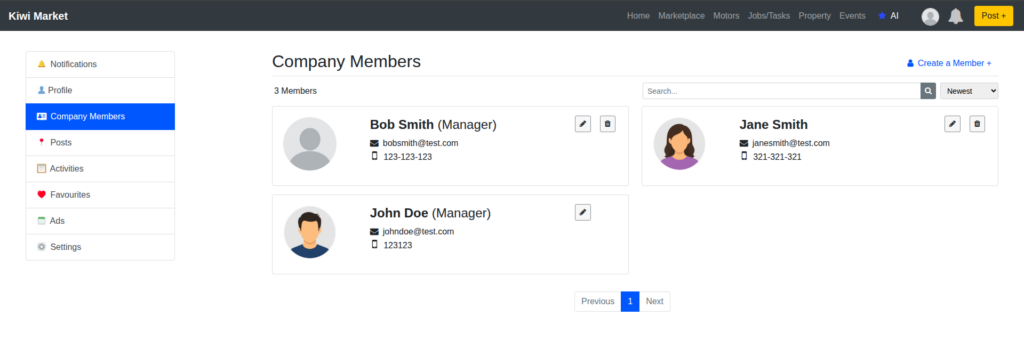
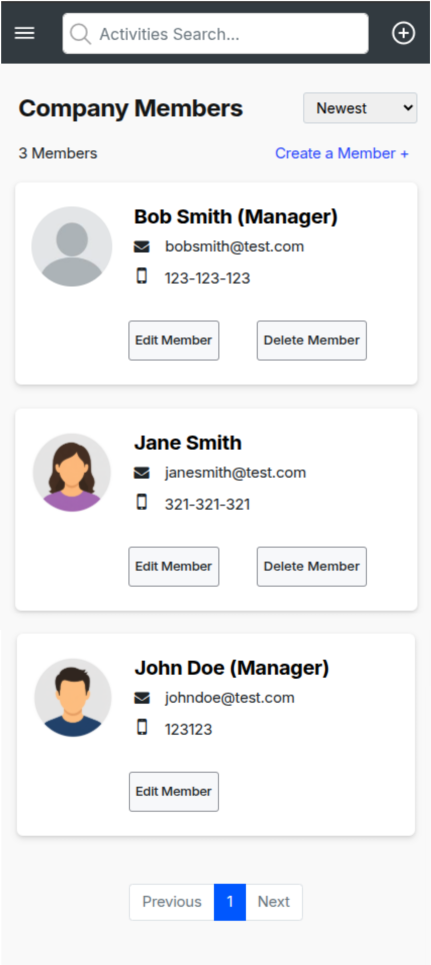
View all Members and Managers
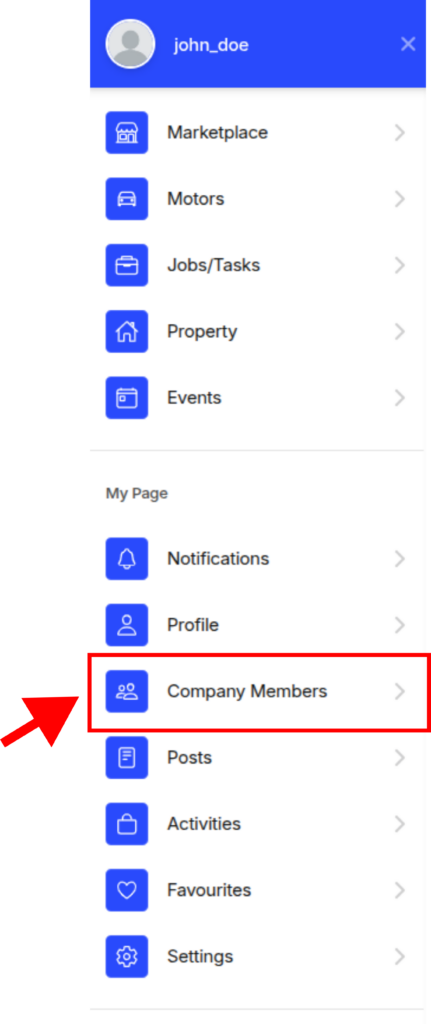
To view all members and managers of your company, head over to the Company Members section
Desktop
Mobile
Creating a Member
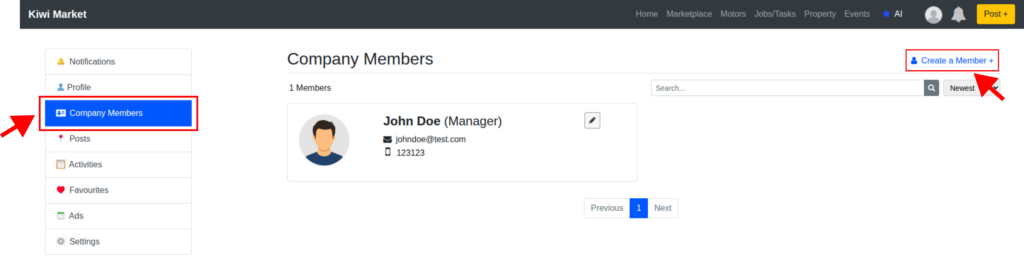
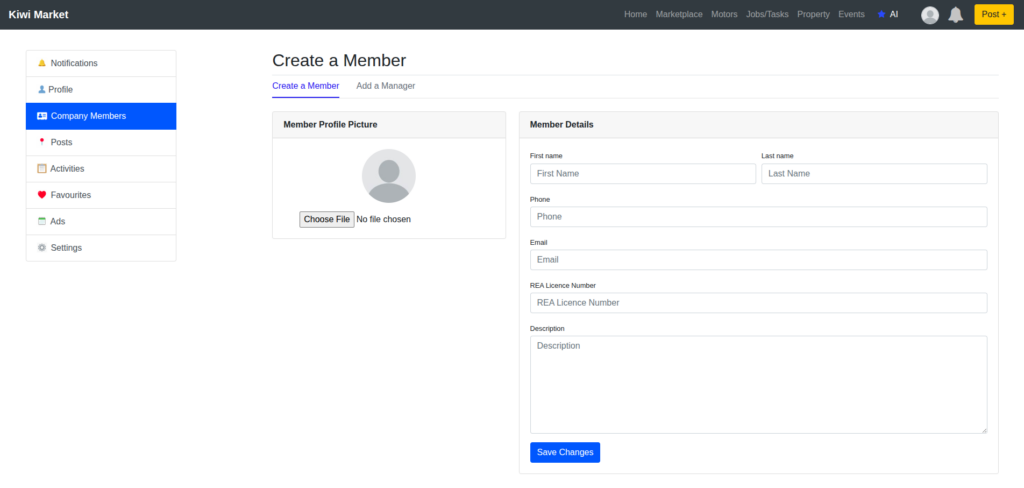
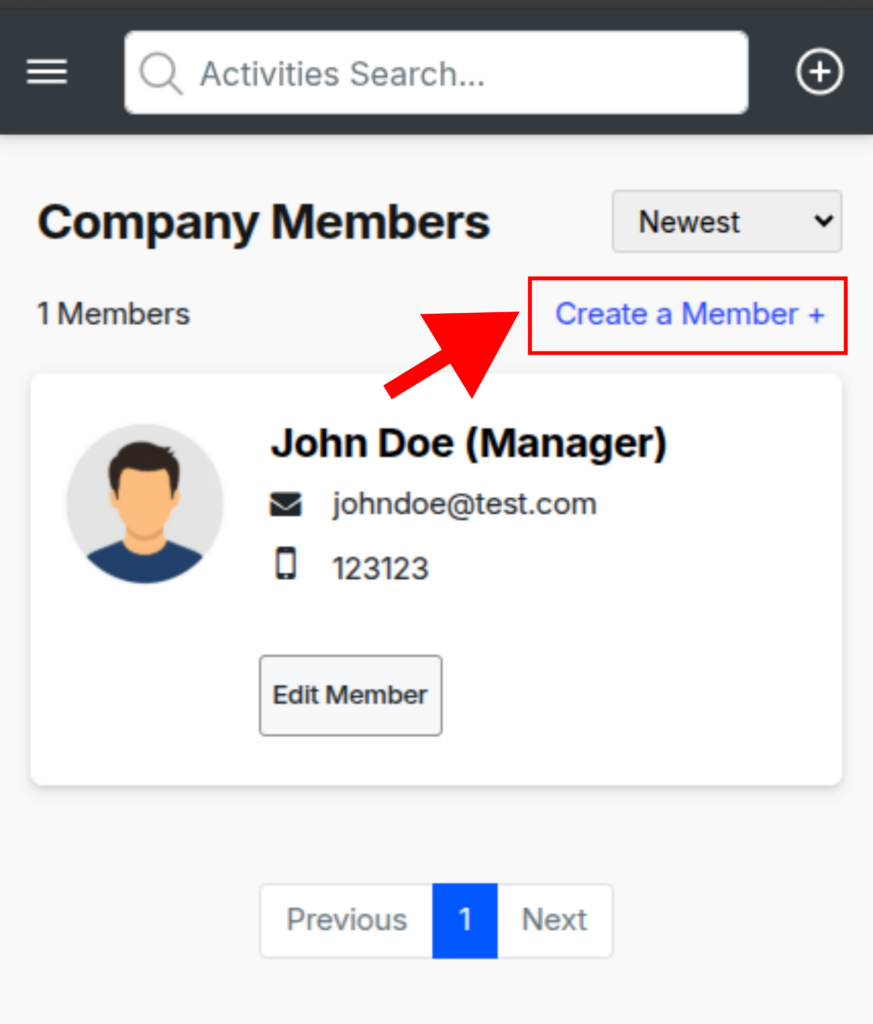
You can create a member by going to “Company Members” and clicking/tapping on “Create a Member +” link on the upper right corner. Fill out the form, add a profile picture and click/tap on “Save Changes”. Member profiles can be assigned to property posts and are centrally controlled by you and/or company managers.
Desktop
Mobile
Invite a Manager
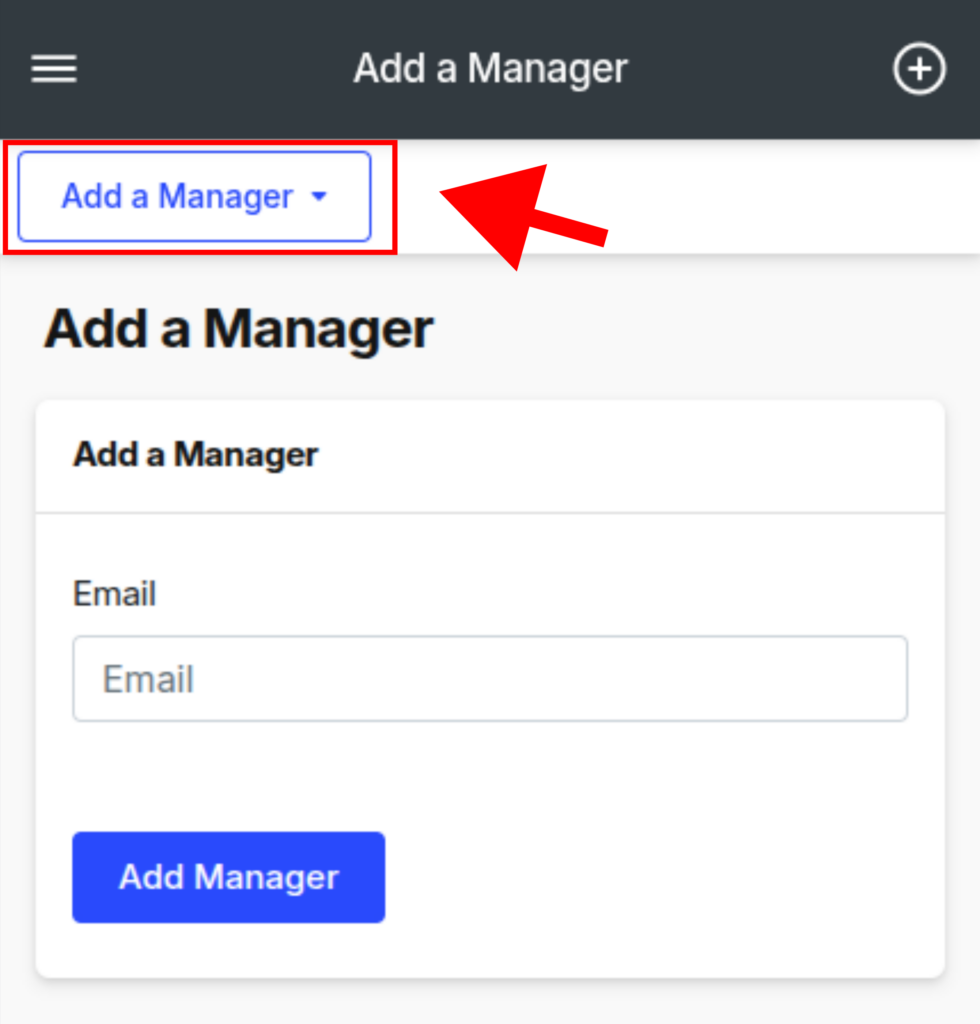
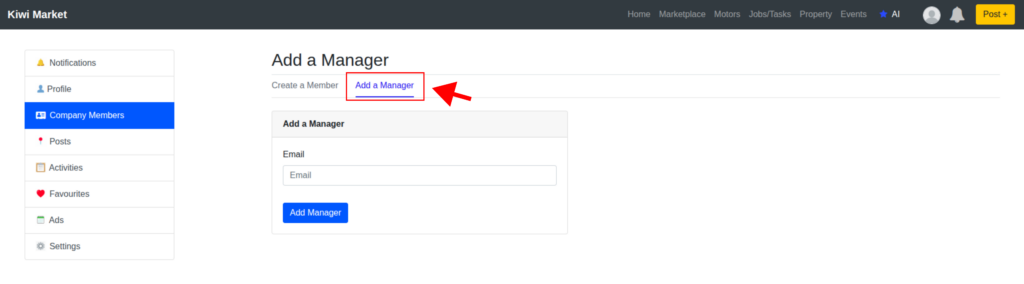
To invite a manager, they need to be already signed up. To invite them in, go to “Company Members”, and click on “Add a Manager” on the top menu.
For mobile, tap on the upper left blue box. Type in their email and click on the correct user. Check their details and once confirmed, click/tap on “Add Manager”.
They will be instantly added and will have full manager permissions including: posting/editing/deleting company posts and creating/editing/deleting members.
Desktop
Mobile