Kiwi Market Help Centre
How to Batch Repost Multiple Items
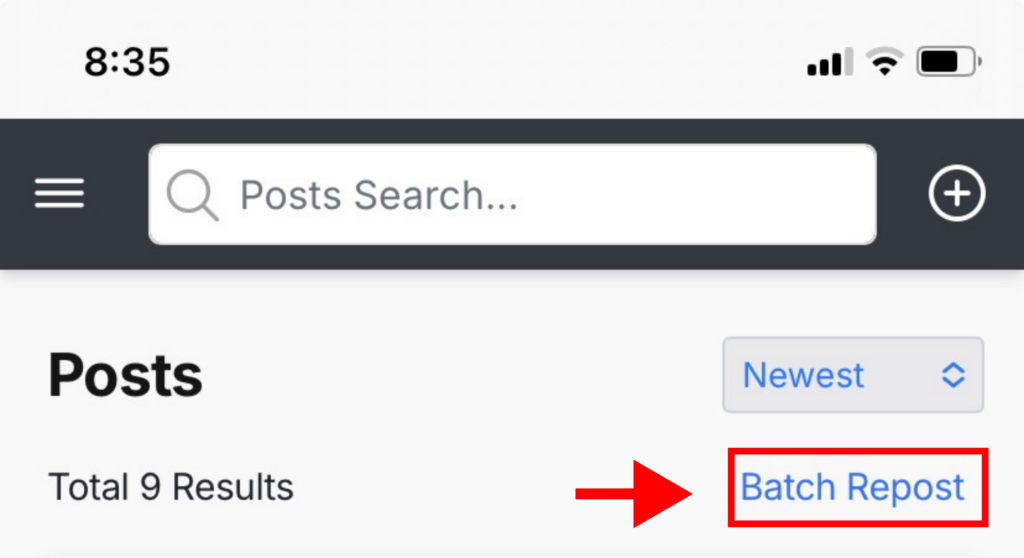
1. Go to your dashboard → Posts and click on “Batch Repost” on the top right corner
Desktop

Mobile
2. A popup will appear – set the end date and time, then click “Confirm”.
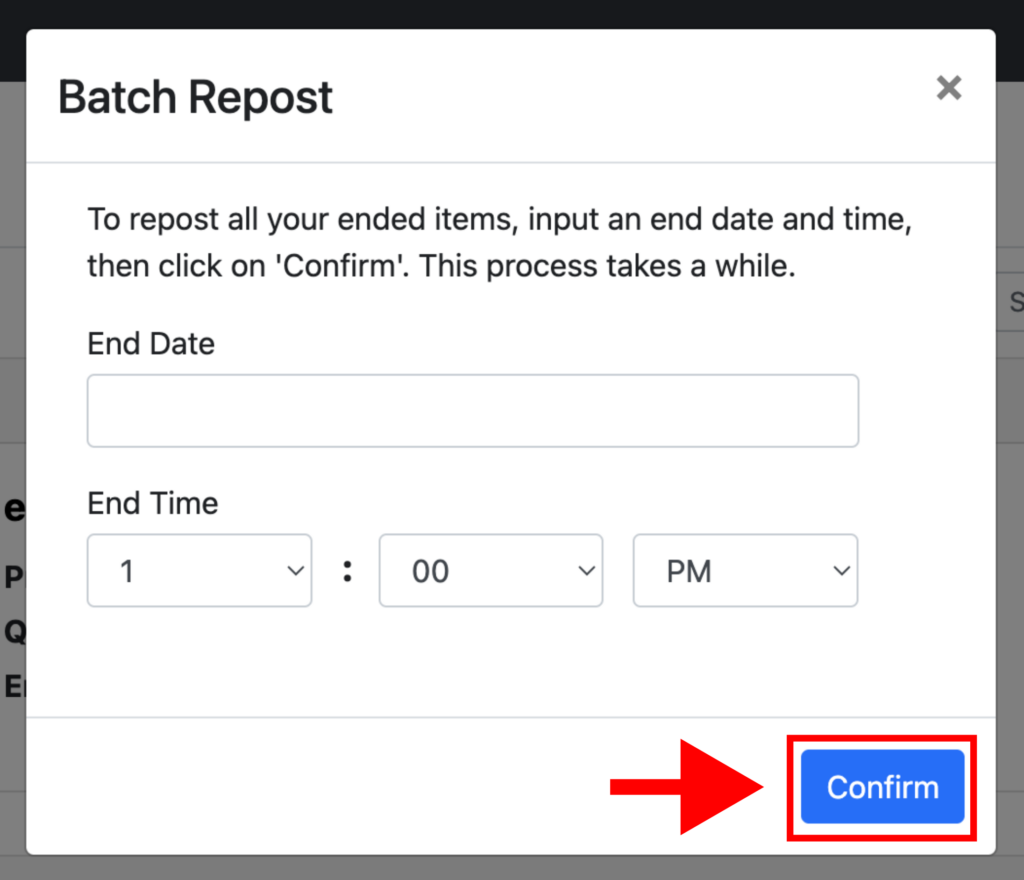
3. This process takes a while. When it’s complete, all of your ended items will be automatically reposted.